

What Is Disaster Recovery Planning and Why Is It Important?
Whether it’s a cyberattack, a natural disaster, a power outage, or a simple human mistake, bad things can happen to any business at any time. A solid disaster recovery plan is the safety net that catches you before you hit the ground.
In this guide, we’ll break down everything you need to know about disaster recovery planning — from what it means to how you can build one that actually works. No confusing tech jargon. Just clear, simple information that helps you protect what you’ve built.
What Is Disaster Recovery Planning? (DRP Meaning Explained Simply)
Disaster recovery planning — often shortened to DRP — is a written strategy that explains how a business will recover its IT systems, data, and operations after an unexpected crisis or disruption.
⭐ What is DRP? A Disaster Recovery Plan (DRP) is a documented set of procedures that helps a business restore its critical IT systems and data after a disaster. It covers everything from backup strategies to step-by-step recovery instructions. The main goal is to reduce downtime and get operations back to normal as quickly as possible.
Think of it like a fire drill — but for your data and systems. You practice before something bad happens, so when it does, everyone knows exactly what to do.
What Counts as a “Disaster”?
A disaster isn’t always a flood or an earthquake. In the IT world, a disaster can be:
- A ransomware or cyberattack
- Accidental deletion of important files
- Hardware failure (like a server crashing)
- Power outages or network failures
- Natural events like floods, fires, or storms
Any event that stops your business from operating normally is considered a disaster — and your recovery plan needs to cover all of them.
Why Backup and Disaster Recovery Go Hand in Hand
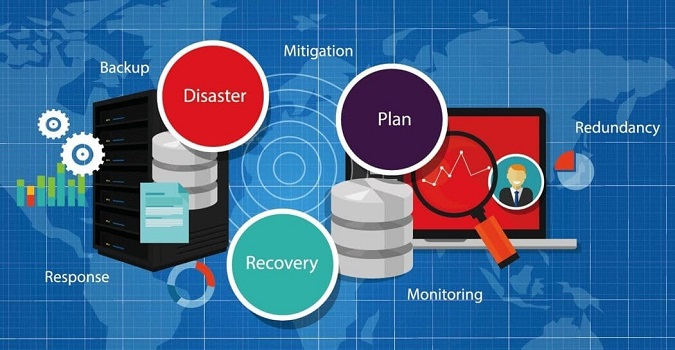
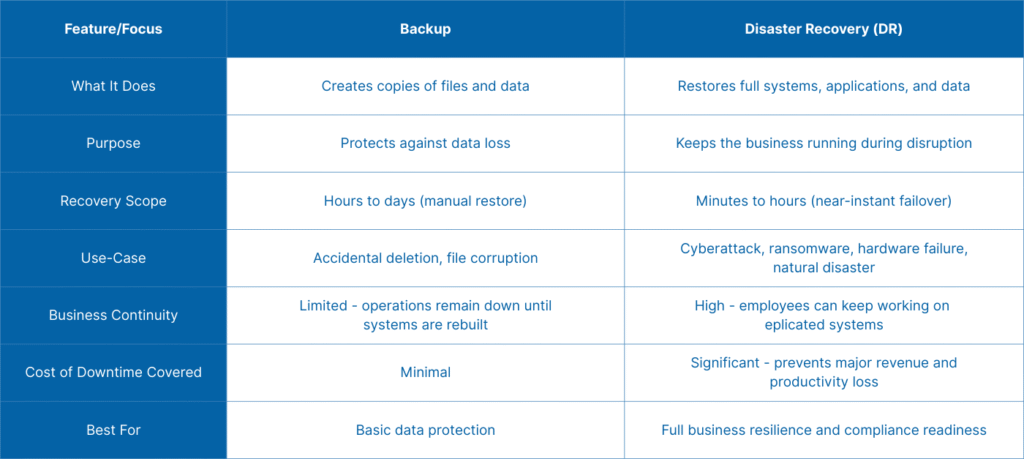
People often mix these two things up. But backup and disaster recovery are not the same thing — though they work very closely together.
| Feature | Backup | Disaster Recovery |
|---|---|---|
| What it does | Saves copies of your data | Plans how to restore everything |
| Scope | Data only | Data + systems + operations |
| When used | Daily / scheduled | After a major disruption |
| Goal | Don’t lose data | Get back to business fast |
Backups are the raw material. Disaster recovery is the entire recipe. You need both. A backup without a recovery plan is like having spare car parts but no mechanic — and no instructions.
What Are Backup and Disaster Recovery Services?
Backup and disaster recovery services are managed offerings — usually from IT companies or cloud providers — that handle both data backups and the recovery process for you. They monitor your systems, run regular backups automatically, and help you restore everything quickly after an incident.
These services are especially useful for small and medium businesses that don’t have a large IT team. Instead of managing everything yourself, you get expert support on standby.
- ready.gov/business — Official U.S. government guide on business continuity planning
- NIST Cybersecurity Framework — Industry standard for IT risk management
Understanding IT Disaster Recovery: What It Involves
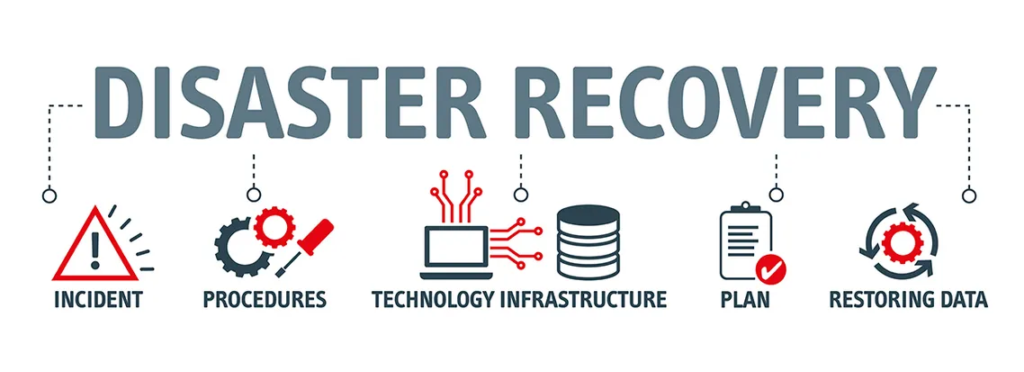
IT disaster recovery (IT DR) focuses specifically on restoring your technology infrastructure — your servers, databases, software, networks, and devices — after a disruption.
Here are two key terms you’ll see in every IT disaster recovery plan:
- RTO (Recovery Time Objective): How long can your business survive without its systems? This is the maximum acceptable downtime. For example, “We must be back online within 4 hours.”
- RPO (Recovery Point Objective): How much data loss can you accept? For example, “We can afford to lose no more than 1 hour of data.”
These two numbers drive every decision in your IT recovery plan. They tell you how aggressive your backup schedule needs to be and how fast your recovery process must work.
Key Components of an IT Disaster Recovery Plan
- Risk assessment — what threats exist for your business?
- Asset inventory — what systems and data need protection?
- Recovery strategies — how will each system be restored?
- Roles and responsibilities — who does what during a disaster?
- Communication plan — how do you notify staff, clients, and stakeholders?
- Testing and maintenance schedule — how often do you test your plan?
Cloud Disaster Recovery: The Modern Way to Stay Protected
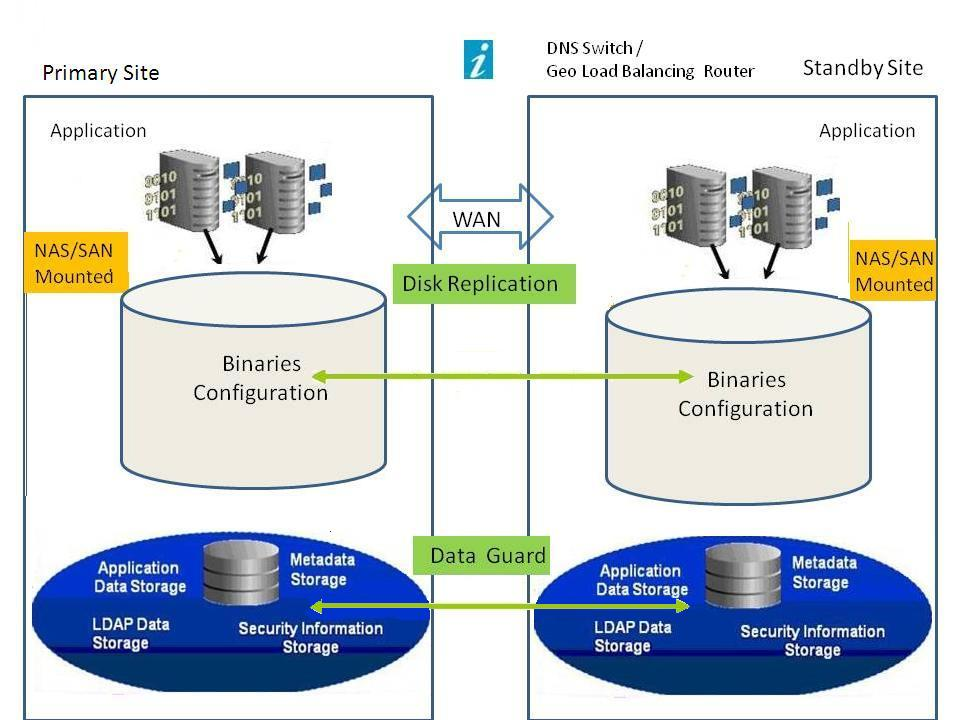
Not long ago, disaster recovery meant shipping physical hard drives offsite or maintaining a second data center. That was expensive and slow. Today, cloud disaster recovery has changed everything.
With cloud-based disaster recovery, your data and systems are backed up to remote cloud servers. If something goes wrong at your main location, you can restore your operations from the cloud — often within minutes.
Why businesses love cloud disaster recovery: It’s affordable, scalable, and accessible from anywhere. You don’t need expensive hardware, and you can scale your storage up or down as your business grows. Many providers also offer automatic failover — meaning your systems switch to the cloud backup version with almost zero downtime.
Cloud DR vs. Traditional DR: A Quick Comparison
- Cost: Cloud is subscription-based (pay-as-you-go); traditional requires big upfront hardware investment
- Speed: Cloud recovery is faster — often within minutes vs. hours or days
- Location flexibility: Cloud works from anywhere; traditional is tied to physical locations
- Maintenance: Cloud providers handle updates; traditional requires your IT team to manage everything
For most businesses today — especially those without large IT teams — cloud-based disaster recovery is the smarter, more practical choice.
Disaster Recovery Solutions: Which Option Is Right for You?
There’s no one-size-fits-all answer when it comes to disaster recovery solutions. The right choice depends on your business size, budget, and risk tolerance.
Here’s a quick overview of the most common types:
1. Backup-Only Solutions
These simply make copies of your data on a regular schedule. They’re the most basic form of protection. Good for small businesses with simple needs and limited budgets — but they lack the speed and automation of full DR solutions.
2. Disaster Recovery as a Service (DRaaS)
This is a fully managed service where a third-party provider handles your entire disaster recovery process — backups, failover, testing, and recovery. It’s ideal for businesses that want expert support without building an in-house DR team.
3. Cloud-Based DR Platforms
These are software platforms (often combined with cloud storage) that automate replication, failover, and recovery. Popular examples include services offered by major cloud providers like AWS, Microsoft Azure, and Google Cloud. They’re flexible and powerful for businesses of all sizes.
4. On-Premise DR Infrastructure
This involves maintaining physical backup servers and systems at a secondary location. It’s the traditional approach — reliable but expensive. Mostly used by large enterprises with very specific compliance or data residency requirements.
⚠️ Important reminder: No matter which solution you choose, it’s only as good as how often you test it. A disaster recovery plan that hasn’t been tested is just a document — not a safety net.
Business Continuity and Disaster Recovery: Understanding the Difference
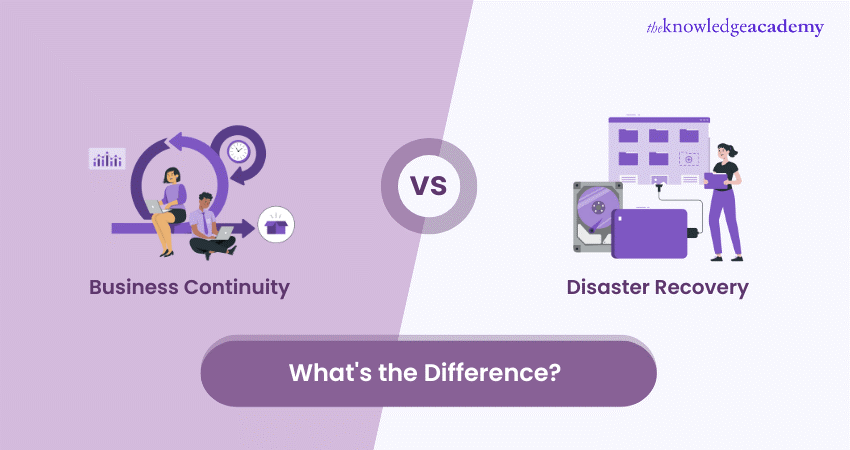
You’ll often see these two terms used together: business continuity and disaster recovery. They’re closely related but cover different ground.
- Business Continuity Planning (BCP) is the big-picture strategy. It covers how the entire business keeps operating during and after a disruption — including people, processes, suppliers, and communications.
- Disaster Recovery Planning (DRP) is a subset of BCP. It focuses specifically on restoring IT systems and data.
In simple terms: business continuity planning is the full game plan, and disaster recovery planning is the IT chapter of that game plan.
Both are essential. A company might have its IT systems fully restored (great DRP), but if staff can’t work, clients aren’t being served, and the supply chain is broken, the business still fails. That’s where BCP comes in.
How to Build Your Own Disaster Recovery Plan Step by Step
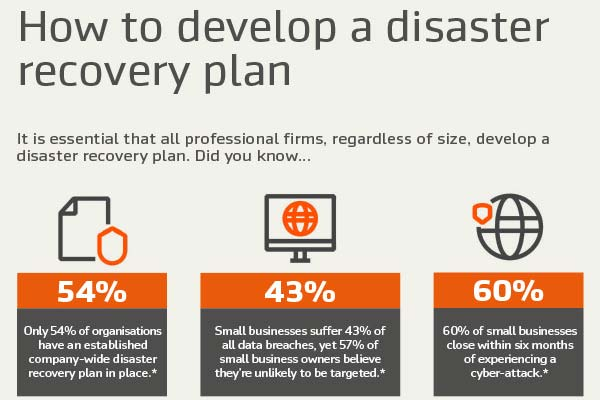
Ready to start? Building a disaster recovery plan doesn’t have to be overwhelming. Follow these steps:
- Identify your critical assets. List all systems, applications, and data that are essential to your business. Ask yourself: “What can we absolutely not function without?”
- Assess your risks. What threats are most likely to affect your business? Ransomware? Power outages? Flooding? Each business has a different risk profile.
- Set your RTO and RPO. Decide how much downtime and data loss is acceptable. This shapes everything else.
- Choose your recovery strategy. Based on your budget and needs, decide whether you’ll use cloud DR, DRaaS, on-premise backups, or a combination.
- Document everything. Write clear step-by-step instructions for recovery. Include who does what, how to contact key people, and which systems get restored first.
- Test your plan regularly. Run drills at least twice a year. A plan that’s never been tested might not work when you need it most.
What Is Disaster Recovery Plan Software?
If writing and managing a DRP manually sounds like too much work, disaster recovery plan software and disaster recovery software platforms can help. These tools help you build, document, and update your plan in an organized way. Some even automate the testing process and alert you when something isn’t working correctly.
Popular options often integrate directly with cloud backup platforms, making it easy to keep your documentation and your actual recovery systems in sync.
Disaster Recovery Services: When to Call in the Experts

Not every business has the in-house IT expertise to build and manage a full disaster recovery plan. That’s completely normal — and that’s exactly what disaster recovery services are for.
These are professional IT service providers that specialize in keeping your business protected. They typically offer:
- Regular automated backups of your data
- Continuous system monitoring
- Rapid recovery in case of a disaster
- DRP documentation and testing
- Compliance support (for industries like healthcare, finance, and legal)
When choosing a provider for backup and disaster recovery solutions, look for service level agreements (SLAs) that guarantee specific recovery times. Ask them: “What’s your average RTO?” and “How often do you test client recovery plans?”
Pro tip: Many IT managed service providers (MSPs) bundle backup disaster recovery into their monthly support packages. This can be a cost-effective option for small businesses that want comprehensive protection without managing everything in-house.
Conclusion: Don’t Wait for a Disaster to Start Planning
Here’s the truth: most businesses don’t think about disaster recovery until it’s too late. A ransomware attack hits, a server crashes, or a flood takes out the office — and suddenly everyone is scrambling to figure out what to do.
Don’t be that business.
Disaster recovery planning is one of the best investments you can make in your company’s future. It doesn’t have to be complicated or expensive. Start simple — identify your most critical systems, choose a backup method, and write down your recovery steps.
Whether you use cloud disaster recovery, hire a managed disaster recovery service, or build your IT disaster recovery plan in-house, the most important thing is to start. The best time to plan for a disaster is before it happens.
Your business depends on it. Your customers depend on it. And honestly? So does your peace of mind.
Frequently Asked Questions (FAQ)
1. What is the meaning of DRP (Disaster Recovery Plan)?
DRP stands for Disaster Recovery Plan. It’s a structured document that outlines how a business will restore its IT systems, data, and operations after an unexpected event like a cyberattack, hardware failure, or natural disaster. The goal is to minimize downtime and data loss so the business can get back to normal as quickly as possible.
2. What is the difference between backup and disaster recovery?
Backup refers specifically to saving copies of your data. Disaster recovery is a broader strategy that covers how you restore not just data, but entire IT systems and business operations. Think of backup as one tool inside the larger disaster recovery toolbox.
3. How is cloud disaster recovery different from traditional disaster recovery?
Traditional disaster recovery relies on physical hardware at a secondary location, which is expensive and slow to set up. Cloud-based disaster recovery uses remote cloud servers to store backups and enable rapid recovery — often within minutes — from anywhere with an internet connection. It’s generally more affordable and scalable.
4. How often should I test my disaster recovery plan?
Most IT and security experts recommend testing your disaster recovery plan at least twice a year. You should also test it whenever you make major changes to your systems, hire new staff, or bring on new software or cloud services. Regular testing is the only way to know your plan will work when you actually need it.
5. What is the difference between business continuity and disaster recovery?
Business continuity planning (BCP) covers how your entire business — people, processes, suppliers, communications — keeps functioning during a disruption. Disaster recovery planning (DRP) is a specific part of BCP that focuses on restoring IT systems and data. BCP is the full strategy; DRP is the IT-focused chapter within it.